


Table of Contents
Most people don’t book a hearing aid review because the device “stopped working”. They book because something feels slightly off. Speech sounds dull. One side feels weaker. A whistling starts that wasn’t there last month. Phone calls feel effortful again. The instinct is understandable: turn the volume up and get on with the day. The problem is that volume is rarely the real issue. If clarity has dropped, more loudness often brings more fatigue before it brings more understanding. A quick clinic check is the smarter move because it targets the actual causes of performance dips: moisture, wax guards, microphone ports, fit and seal, and the small mechanical parts that quietly do most of the work. This article explains what we inspect, when verification is used, and why small fixes can restore clarity fast, with a Signia-friendly approach aligned with Audiocare’s calm, evidence-led philosophy.
When sound feels “off”, it is usually a pathway problem
A hearing aid is a signal chain. Microphones pick up sound, the processor shapes it, the receiver delivers it, and your ear and brain do the rest. If any part of that chain is partially blocked, damp, or sitting slightly differently, the result can feel like a sudden drop in quality. People often describe it as muffled, cotton-wool sound, intermittent cut-outs, or a new harshness that makes them turn the aids down. These sensations can come from something as simple as a clogged wax guard or a dome that has shifted. They can also come from changes in the ear itself, such as wax build-up, canal irritation, or middle-ear pressure after a cold or allergy flare. This is why a proper check looks at both the device and the ear. If you only adjust the settings without checking the physical basics, you can chase the symptom rather than fix the cause.
What we inspect first: the ear, then the hardware
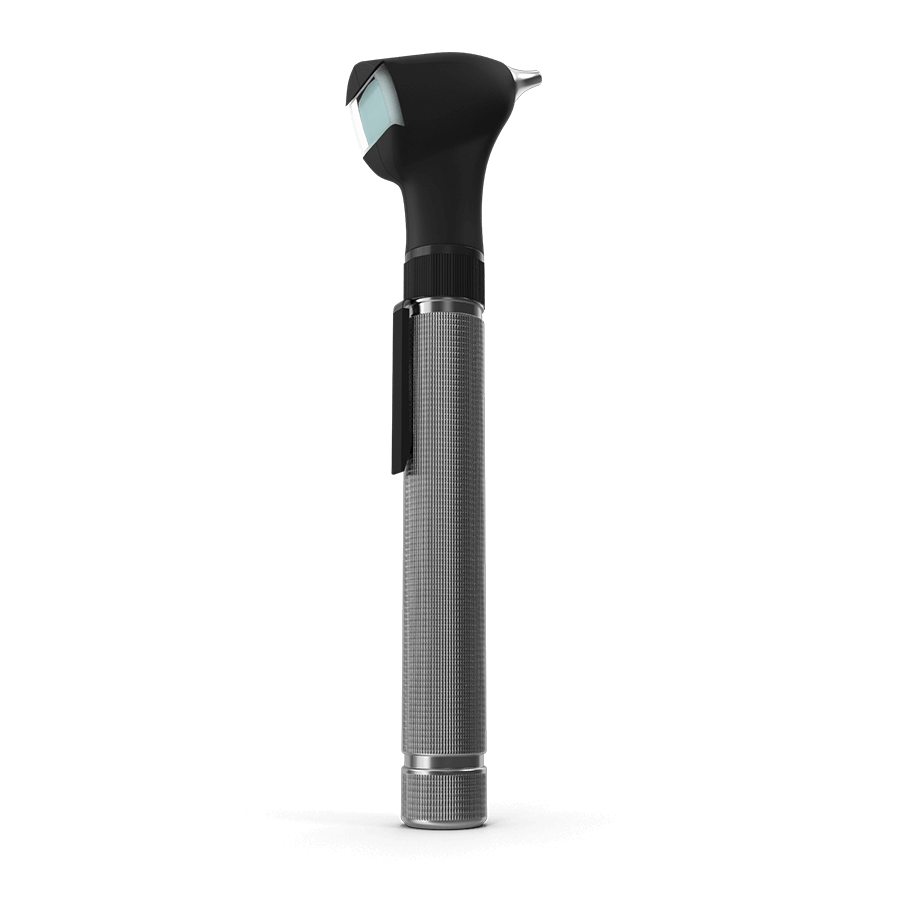
A quick check starts with a short, focused history. What changed, and when. Is it dullness, distortion, whistling, or one-sided weakness. Did it start after a cold, a humid week, a gym session, or a long day of calls. Those details help narrow the likely cause within minutes. Then we check the ear canal and eardrum. It is a practical step that is often overlooked by people troubleshooting at home. Wax can mimic device failure. Canal irritation can make sound feel sharp. Middle-ear pressure can change how sound is perceived, even if the hearing aid is working perfectly.
After the ear check, we inspect the physical parts that most commonly steal clarity. Domes and wax guards are wear items, not permanent fixtures. Wax guards protect the receiver, but when they clog, output drops and speech loses definition. A dome that has stretched or hardened can leak sound and reduce clarity, and leakage is one of the most common triggers for whistling. If you use a tube or mould system, condensation in the tubing can behave like a partial plug, especially after temperature changes. Microphone ports are another frequent culprit. Fine debris and skin oils can sit on the inlets, dulling sound in a way that feels like “low battery” even when power is fine. Cleaning and refreshing these parts often restores the sound immediately, without touching the volume control.
Why one side can feel weaker than the other
Uneven sound is one of the most common complaints, and it almost always has a simple explanation. One ear produces more wax than the other. One wax guard clogs faster. One dome fits less securely because ear canals are naturally asymmetrical. One side may be exposed to more moisture because you use the phone on that ear, wear glasses that press differently, or spend more time outdoors with wind hitting the microphones. Sometimes the ear itself has changed. Wax build-up, mild canal swelling, or middle-ear pressure can make one side feel muffled even though the device is fine.
A quick check compares both ears and both devices in a structured way. We look for the small mismatch that creates the big annoyance. If you only respond by turning the weaker side up, you can push it into feedback, then the sound gets worse, and the cycle continues. Fixing the physical cause restores balance and makes the settings make sense again.
Moisture and humidity: performance killers that feel random
Moisture problems often present as intermittency. Sound drops out, crackles, or comes and goes through the day. Algarve humidity, temperature shifts between outdoors and air-conditioned interiors, exercise sweat, and even hair products can contribute. Rechargeable devices can also be affected if charging contacts are damp or if a device is placed in the charger before it is properly dry.
The solution is usually boring, which is good news. Dry the devices overnight using an appropriate drying case or desiccant system. Wipe the shells after wear. Keep microphone ports clean. Avoid storing devices in bathrooms or near steam. If you use rechargeables, let the aids dry fully before charging and keep chargers in a dry, ventilated place. In clinic, we can check for moisture-related issues and advise a routine that fits your device style. A quick check is also where we confirm that a “moisture problem” is not actually a wax guard issue or a seal issue, because they can feel similar.
When verification becomes relevant
Not every quick check requires real-ear verification, but it is a valuable tool when the complaint persists after the basics are corrected. Real-ear measurements verify what sound is actually reaching your ear canal, rather than what the software assumes is happening. If you have had domes changed, if your ear canal acoustics have shifted, or if you report that speech clarity is still not where it should be despite clean hardware, verification can confirm whether the fitting targets are being met. It can also highlight when a device is technically delivering what it should, but the coupling or seal is undermining performance.
For Signia fittings, verification and fine-tuning can be especially effective because modern platforms allow precise adjustments across frequency regions and input levels. That flexibility helps only if it is used accurately. Verification makes the process more transparent. It answers a simple question: are we delivering the right sound, or are we compensating for a physical problem with settings.
What we do in a “quick check” appointment
A proper quick check is not a rushed clean and a shrug. It follows a sequence. We confirm the symptom and the context. We inspect the ear. We inspect the device, replace or clean key consumables, and check the coupling and seal. We check microphone ports and receiver output. We look for obvious causes of feedback. We confirm battery or charging performance and check for signs of corrosion or contact issues. If needed, we run additional checks or verification.
Then we make one change at a time and ask you to listen. The goal is not to overwhelm you with settings. The goal is to restore the sound you were fitted for. If you still describe real-world issues, we discuss targeted adjustments rather than turning everything up. Many problems resolve within minutes once the physical cause is corrected. When they do not, that is still useful. It tells us the next step is likely fine-tuning, verification, or a broader hearing review rather than repeated cleaning.
When you should book quickly, and when you should act urgently
Book a quick review if sound has become dull, if one side feels consistently weaker, if whistling appears, if the device cuts in and out, or if battery life has changed sharply without a clear reason. Book as well if you find yourself turning volume up frequently, because that is often a sign that clarity has dropped due to a fixable cause.
Seek prompt medical assessment if there is severe ear pain, discharge, sudden hearing loss, significant spinning dizziness, or swelling around the ear. Those symptoms are not device issues to troubleshoot at home. They need clinical evaluation.
For everything else, the practical rule is simple: if you notice a change that affects daily communication, do not wait weeks hoping it will “settle”. A short check is faster than long-term compensation, and it often prevents the spiral of louder volume and higher fatigue.
Clear sound is usually a small fix away
Turning the volume up feels like control, but it often treats the wrong problem. When hearing aids sound off, the most common causes are physical and fixable: wax guards, domes, tubing, microphone ports, moisture, and fit. A quick clinic check restores the basics, verifies performance when needed, and keeps your settings aligned with your real listening life. That is exactly how Audiocare works: calm assessment, clear explanation, and practical next steps that make sense. If your hearing aids have started to feel less helpful, book a review. The aim is simple: bring clarity back without drama.